Login to COM
- Go to https://com.nycdot.io
- Click on the blue-colored login button and follow the instructions.
Go to Workmap
- Click the left menu and select Workmap.
Locate a Project
- When you are on the workmap screen, you can see a number of clusters.
- Each cluster has a number of project pins inside it.
- First, select the correct borough and zoom in to view the street where you know your desired project is located.
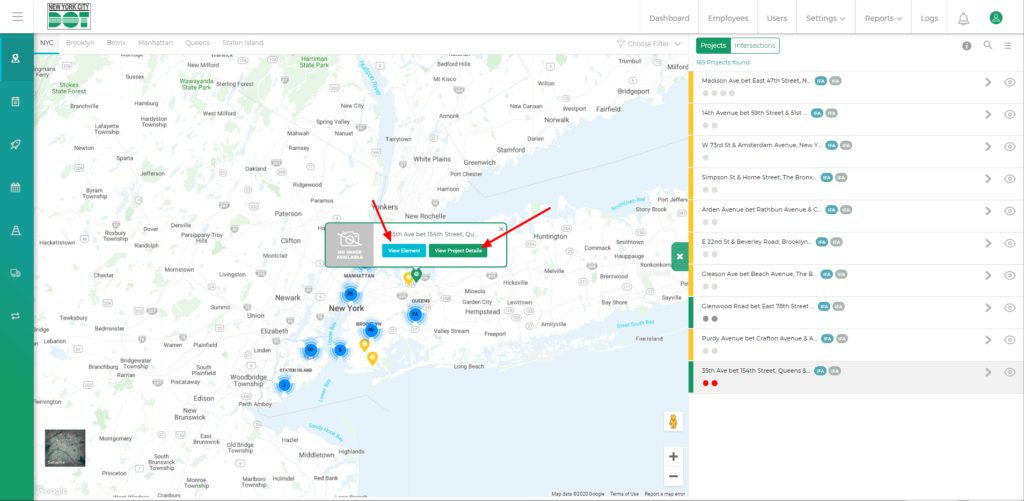
- After you find the pin, click on it to bring out the project pop up.
- You can click on the view project profile button to go to the project profile or click on the view elements button to view the project line, the associated intersections and the element pins inside that project. (See Figure 1)
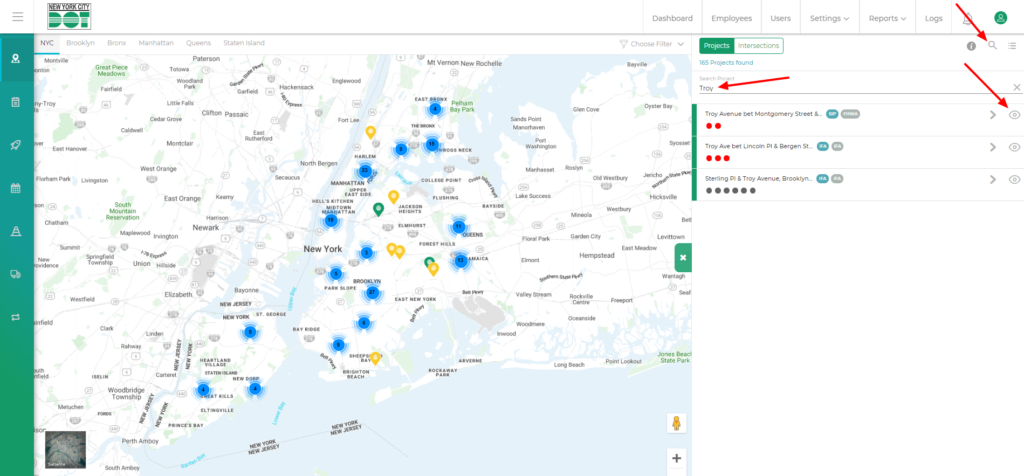
- You can also locate your desired project from the list by using the search functionality.
- Click on the search icon on the top right-hand side of the screen. (See Figure 2)
- Type in the project initials on the search bar. (See Figure 2)
- After you locate the project, you can view the project profile by clicking on the view icon for that project.