Login to COM
- Go to https://com.nycdot.io
- Click on the blue-colored login button and follow the instructions.
Go to Workmap
- Click the left menu and select workmap.
View Intersections from the map:
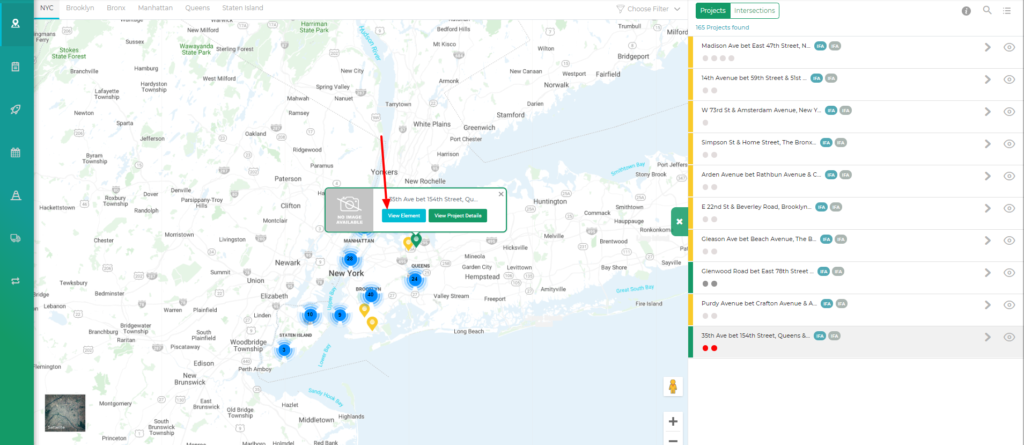
- On the map, click on any pin. You will see a pin pop up.
- On the pin pop up, click on the blue “View Elements” button. (See Figure 1)
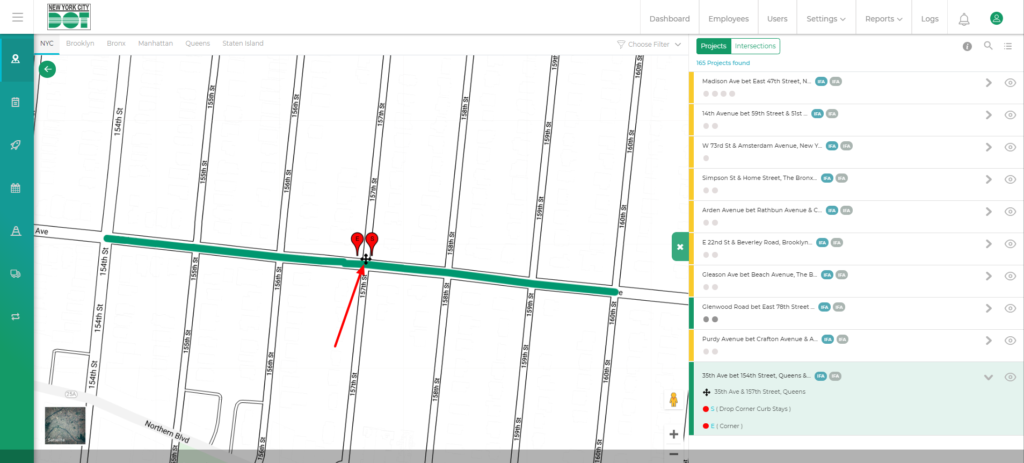
- After clicking you will see that the map will zoom in showing the black cross intersection icons. (See Figure 2)
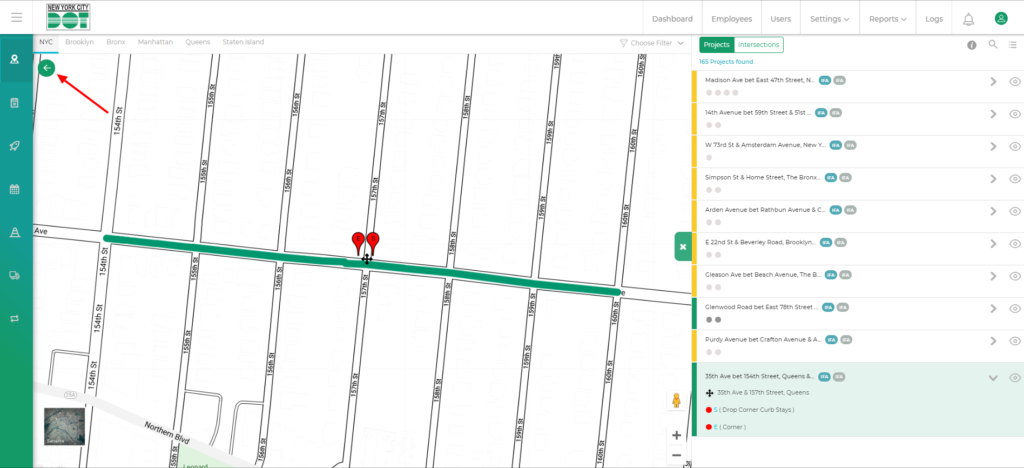
- If you want to go back to the project view just click on the top left green arrow button on the map. (See Figure 3)
View Intersections from the right project list:
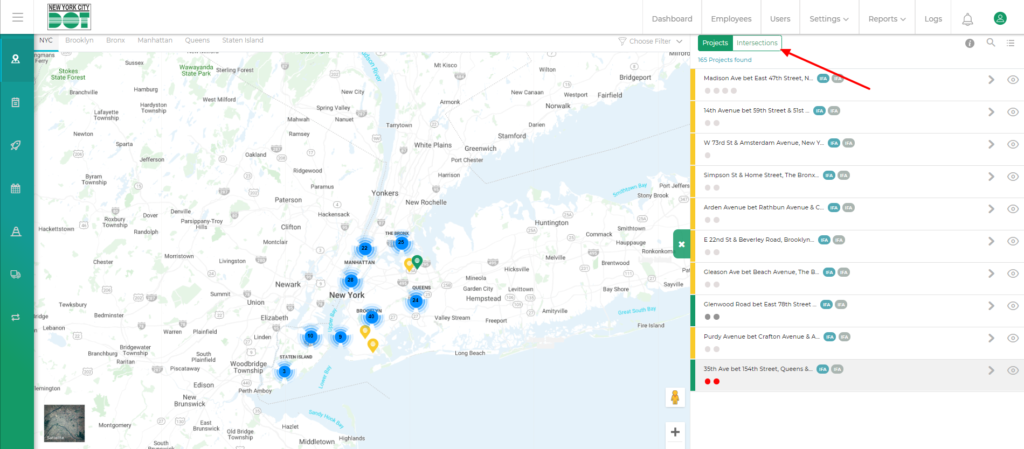
- On the right-side panel, you will see a project-intersection tab.
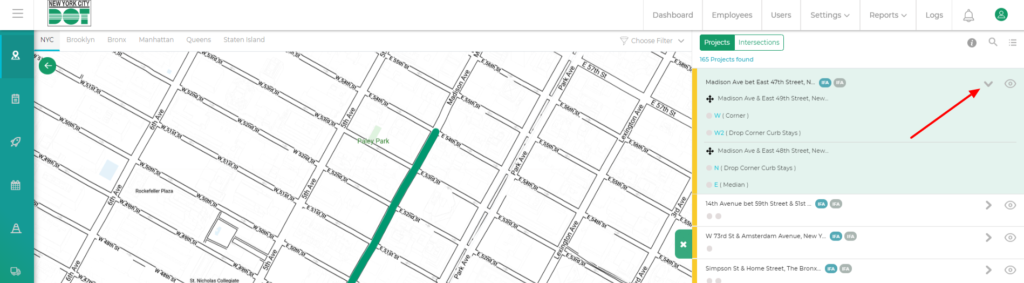
- While on the projects tab, click on the arrow to open it.
- When the arrow is opened you will be able to see the intersections. (See Figure 4)
- If you click on the intersections tab, you will also be able to see the intersections list. (See Figure 5)
- When you click the intersection tab the map on the left side will also show only intersections.