

Work Map Screen Improvements
In COM 2.0, the Work Map screen has been significantly optimized and can now display all 4,000+ projects in under 5 seconds. This improvement greatly enhances system responsiveness and overall usability when navigating the map.
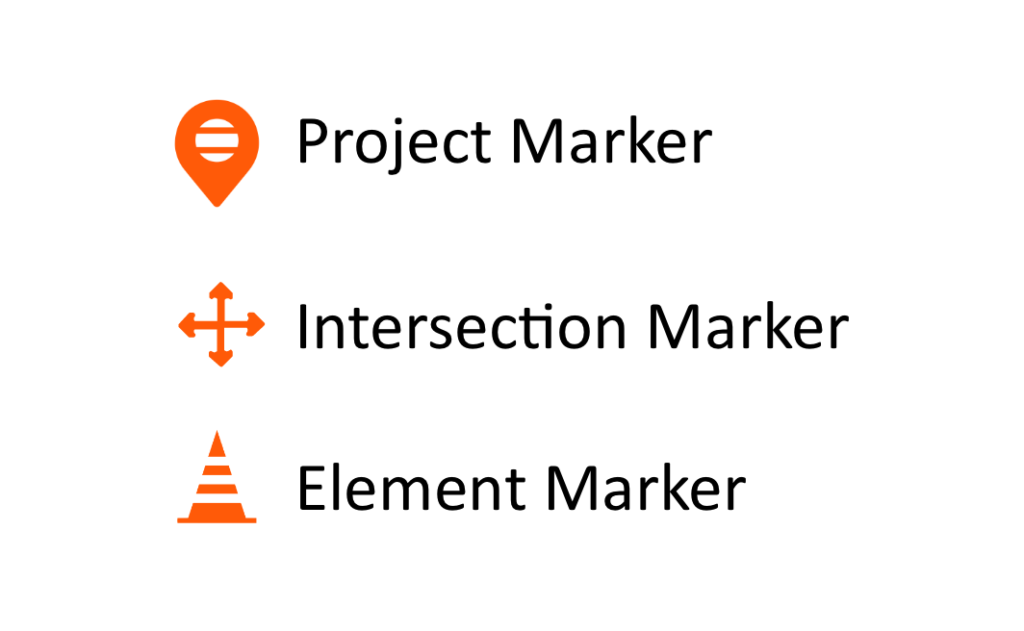
We have also updated the map icons to make intersection, element, and project markers more visually distinct and easier to recognize at a glance.
The new map icons are shown below:
Enhanced Navigation
When a Project or Element is selected, it now opens automatically in a new browser tab. This allows you to review the selected item while keeping your original screen open, so you can easily return without losing your place.
Additionally, each borough tab now displays the total number of projects associated with that borough. This provides users with an immediate project count and improves overall visibility and navigation.
Enhanced Searching

When searching for a Project or Intersection on the right side of the screen, the system now provides autocomplete functionality. As you type, a list of matching results will automatically appear beneath the search box, helping you quickly locate the desired item.