Login to COM
- Go to https://com.nycdot.io
- Login with Email ID and Password.
Go to Gangsheets
- Go to Gangsheet.
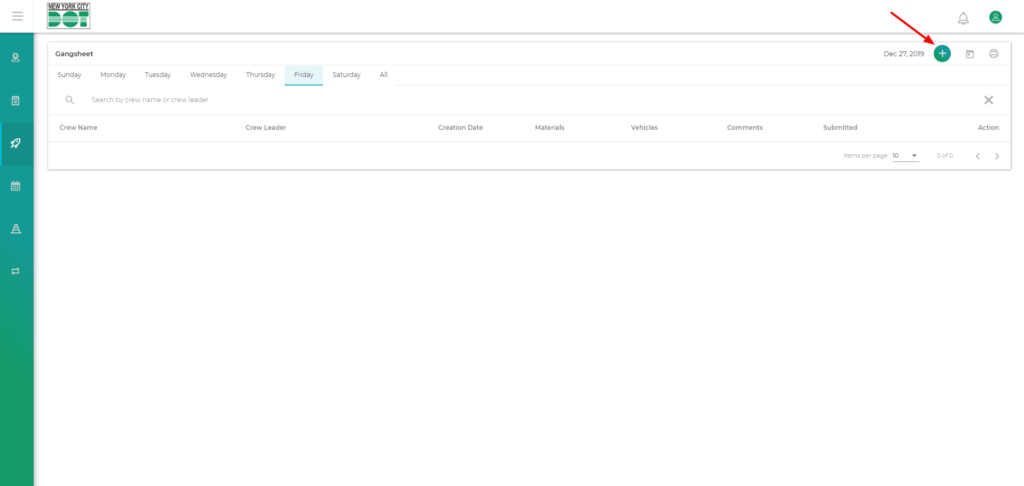
- Click on the green plus icon on the top right-hand side of the screen. (See Figure 1)
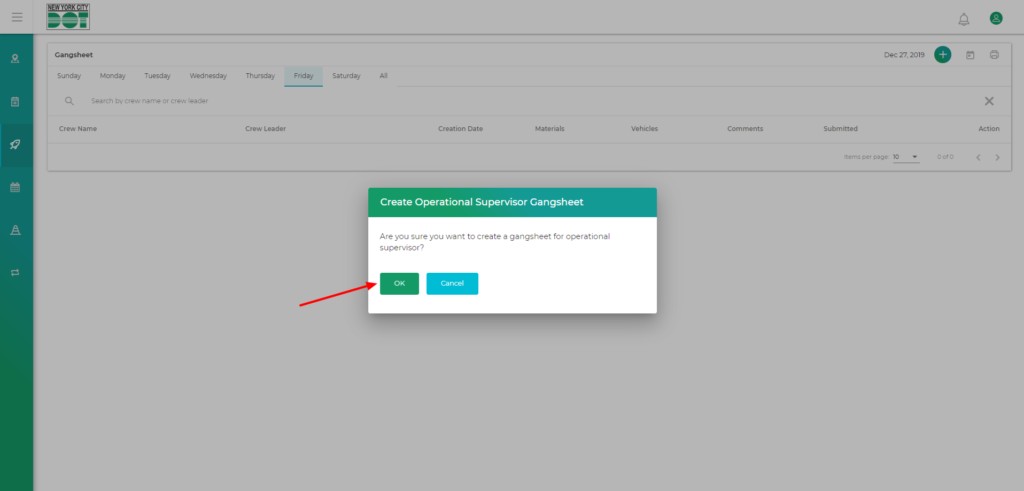
- You will get a pop up asking “Are you sure you want to create a gangsheet for operational supervisor?” (See Figure 2)
- Click “Ok”.
- You will be redirected to the operational supervisor gangsheet.
- Hence, a new operational supervisor gangsheet has been created.