Login to COM
- Go to https://com.nycdot.io
- Click on the blue-colored login button and follow the instructions.
Go to Crews
- Create a Crew. Click here to see how.
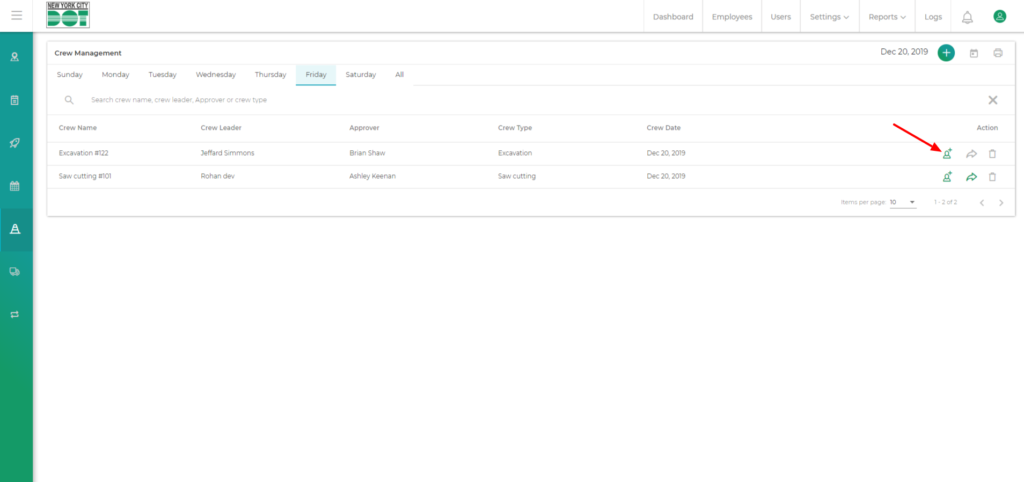
- After the addition of the crew members, the add user icon on the action column will turn green. (See Figure 1)
- Next, click on the Assign Element icon.
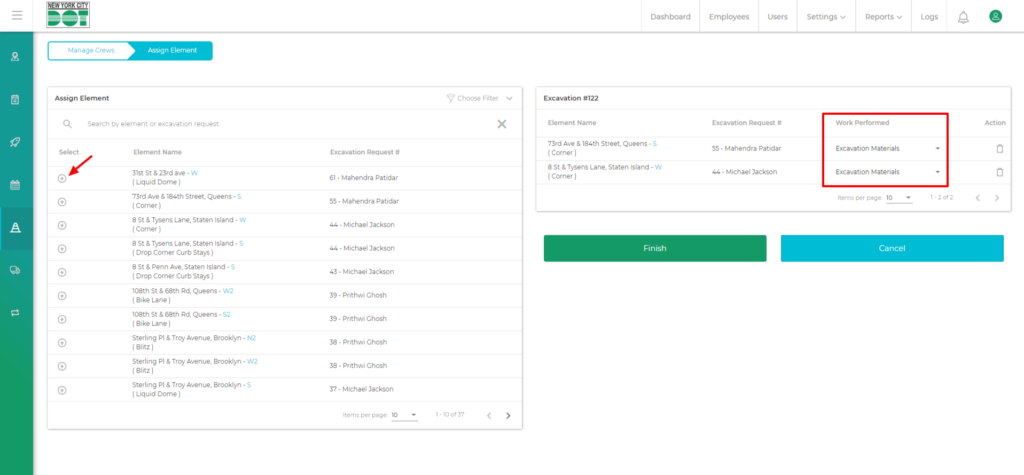
- You will be taken to the Assign Element screen. Here you will see a list of elements for which the request has been made with the request number and name of the requester.
- Click on the circular add icon to assign that element to the crew.
- From the Work Performed dropdown, select work performed. (See Figure 2)
- Click on the Finish button to assign elements successfully. After assigning the elements, the Add Element icon on the Crew Management screen will also turn green.