Login to COM
- Go to https://com.nycdot.io
- Click on the blue-colored login button and follow the instructions.
Go to Workmap
- Hover on the left-hand side menu, and click on “Workmap”.
- Let the map load and show all of the icons that it has.
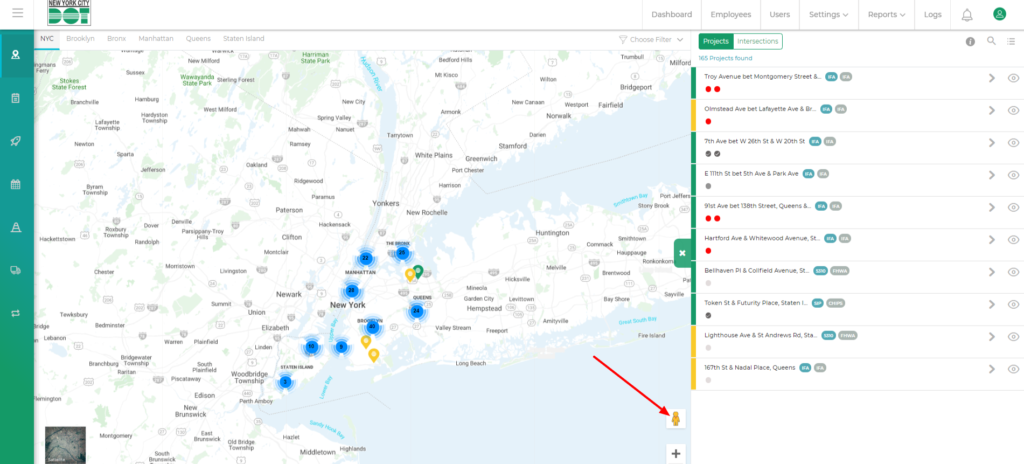
- Look at the bottom right side of the map to find the street view icon. (See Figure 1)
- Click and drag the yellow-colored street view icon on your desired location on the map.
- As soon as you drag the icon you will see some areas of the map get highlighted in blue.
- You can have a look at the street view for only those areas where it is highlighted by blue.
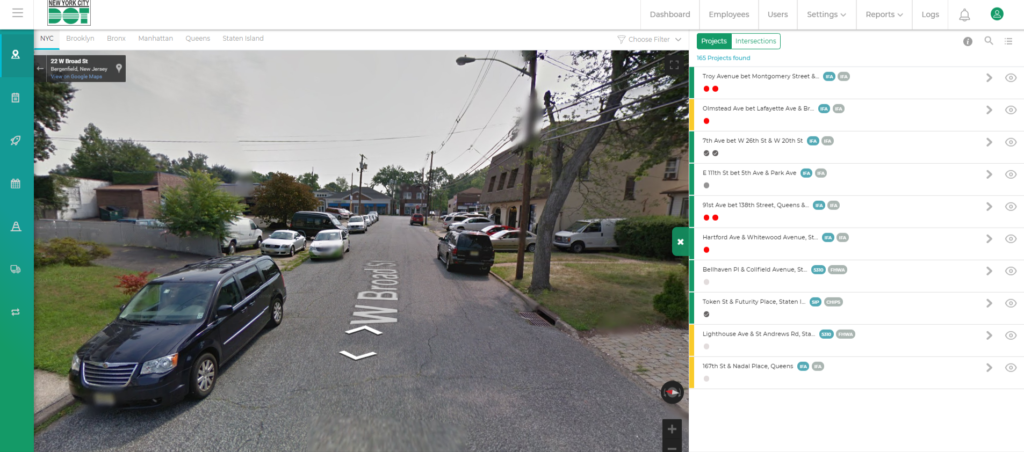
- Release the mouse click to activate the street view of the desired location. (See Figure 2)
- Once in the street view, click on the back button on the top left-hand side of the screen to get back to the map view. (See Figure 3)