Login to COM
- Go to https://com.nycdot.io
- Login with Employee ID and Password.
Go to Workmap
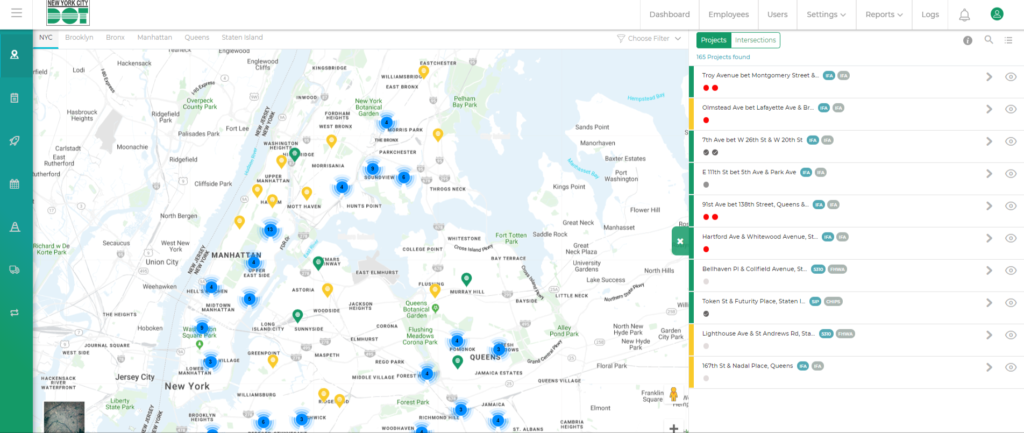
- When you are on the workmap screen for the first time you will see different blue colored clusters on various areas of the map. (See Figure 1)
- Depending on the borough of the project that you are looking for click on the desired cluster to view the project pins inside that cluster.
- Once you click on the desired cluster the map will zoom in and show all the project pins inside that cluster. (See Figure 2)
- The same thing happens when you hover on a cluster and zoom in by using the scroller on your mouse. (See Figure 2)
- The more you zoom in the project pins inside that cluster shows up and the more you zoom out the project pins disappear and the cluster shows up.
- You can also use the zoom in and zoom out option on the bottom right corner of the map to perform the same operation. (See Figure 3)