Login to COM
- Go to https://com.nycdot.io
- Login with Employee ID and Password.
Go to the Project profile page for any project
- Hover on the left menu and select projects.
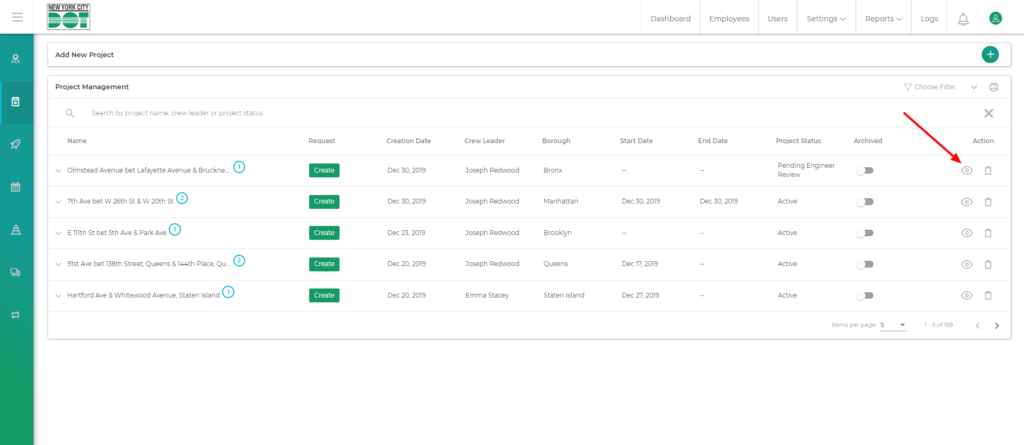
- Click on the view icon for your desired project. (See Figure 1)
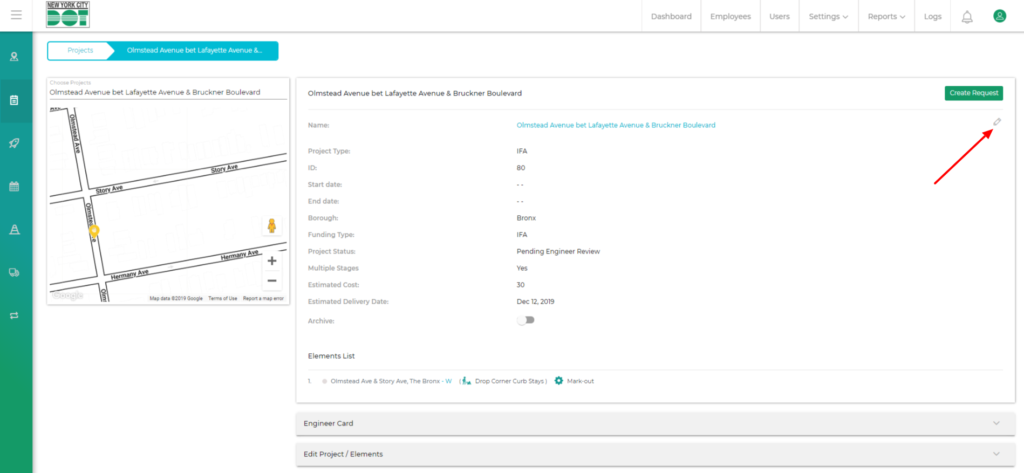
- Click on the edit icon to enter the edit project details window. (See Figure 2)
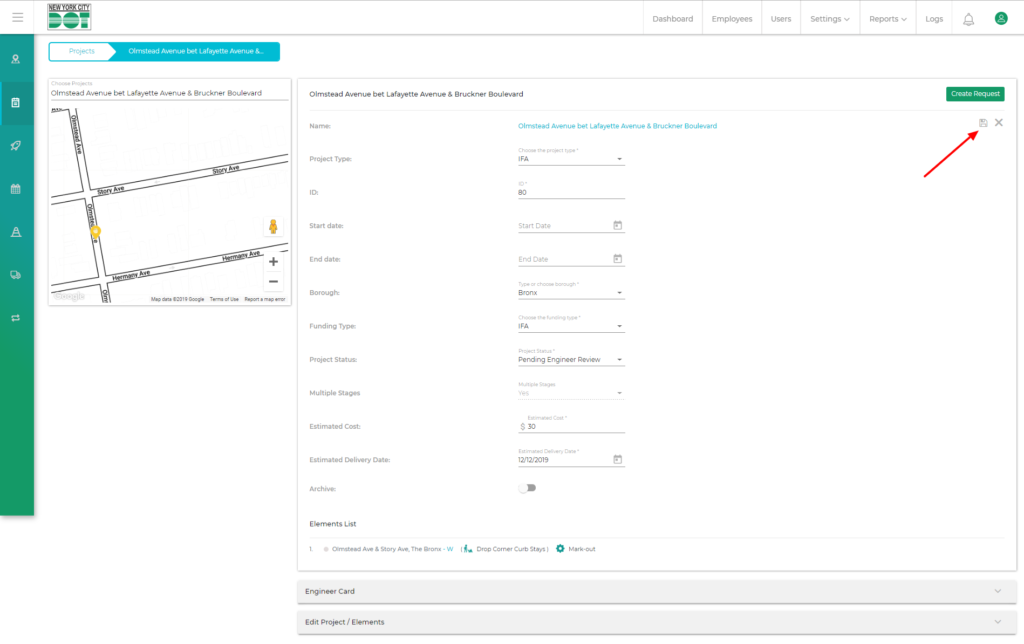
- When you click on the edit icon, all the editable fields become accessible to the user to make changes.
- Make the necessary changes.
- Click on the save icon on the top right-hand side to save the changes. (See Figure 3)
- Or, you can click the cross icon on the top beside the save icon to cancel the changes.